
|
 Goals
Staff
Goals
Staff
|
Help Desk and Frequently Asked Questions |
|
|
Goals
Staff
|
Help Desk and Frequently Asked Questions |
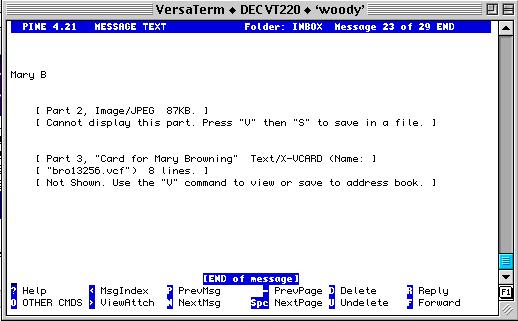
While viewing the message, type a "v", thats the letter "vee", to see list of attachments.
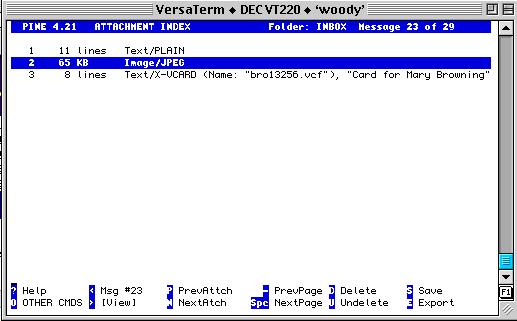
Highlight the attachment.
type a "s", that's the letter "ess", to "save" the attachment
as a file.
You will note that it already has entered the file name. You will need to
use the left arrow key to move to the front of the file name.
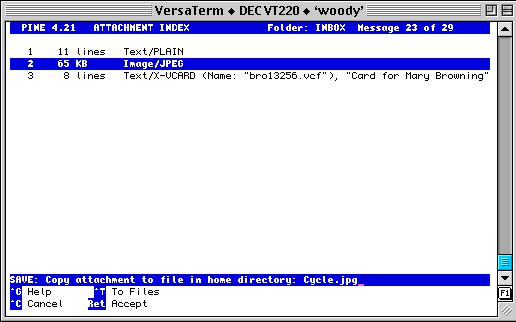
Then type in "public_html/" before the filename. Hit the enter key.
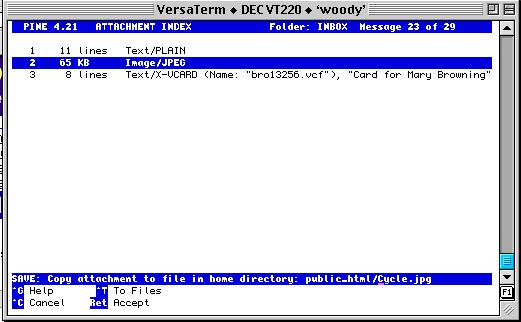
The file will be stored in your web directory. Note the file name this is CASE sensitive.
Now fire up your web browser ( Netscape or Internet Explorer ) and go to
your web page area. The URL would be:
"http://www.wcnet.org/~USERID/filename" make sure you replace USERID
with your assigned username, and enter the filename of the file you just saved.
In this example the URL would be "
http://www.wcnet.org/~wkemp/Cycle.jpg".
Please report problems with these pages to the Helpdesk pagemaster.
 E-mail US