
|
Windows Technical Help |
|
|
Windows Technical Help |
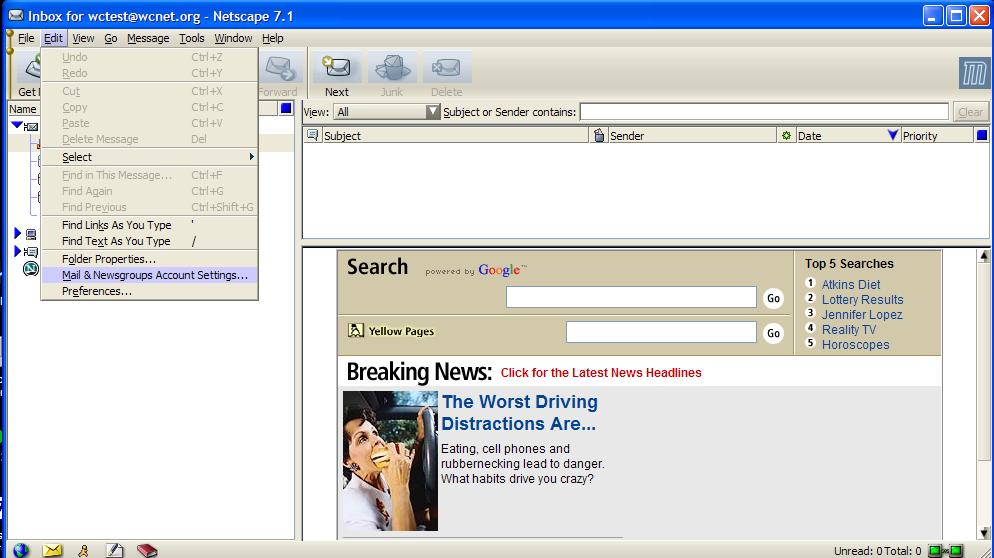
In Netscape 7.x, you need to start up the mail program and then go to the mail settings:
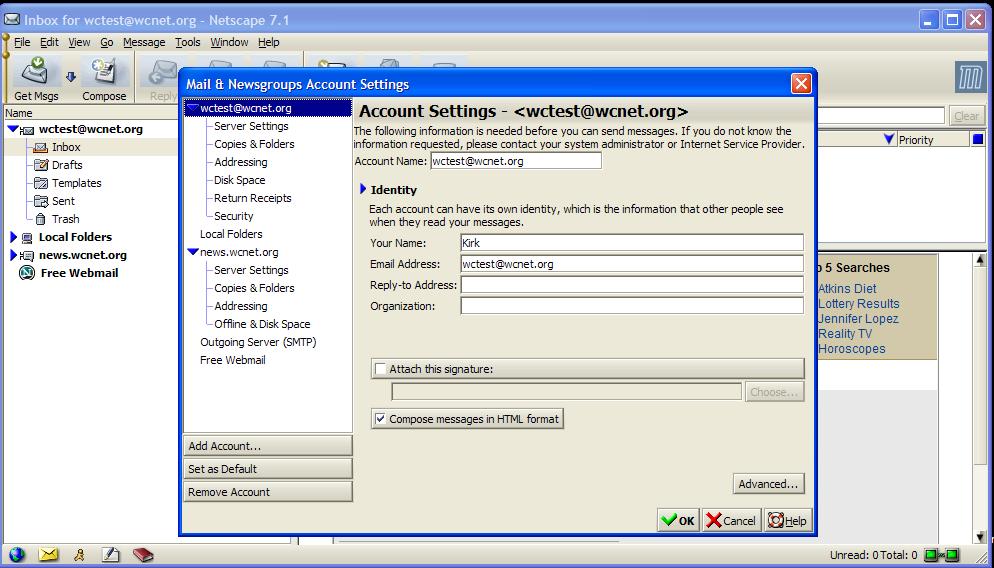
If you already have an account, you will see your settings. Here you place the name that shows up on the e-mails you send and your return address.
Clicking on servers will allow you to make sure you have the correct mail servers entered:
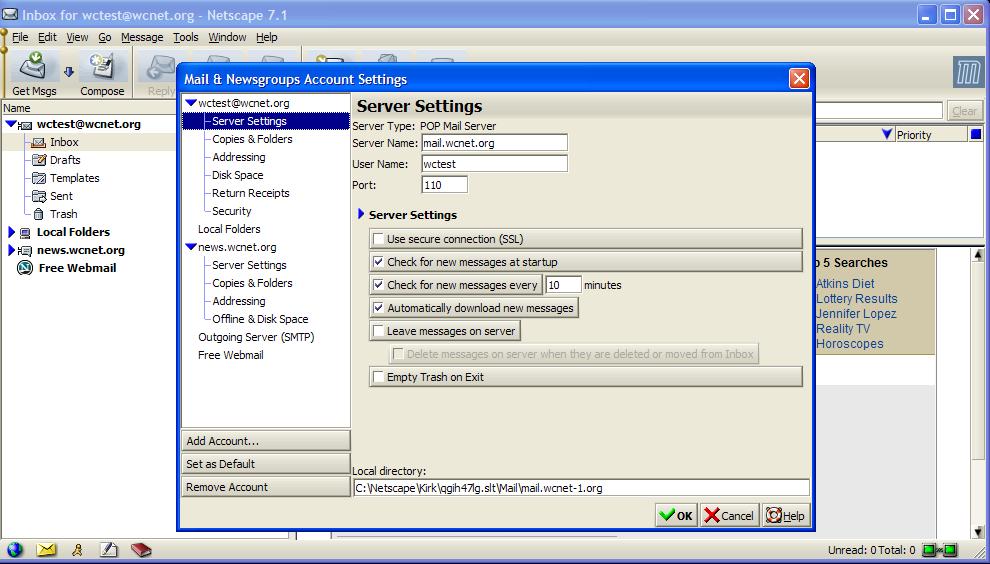
If you don't already have an e-mail account set up under Netscape7.x, the wizard will run. All you need to do is enter your e-mail address and mail.wcnet.org as both the POP3 and the SMTP servers.
Back to the Help Desk Pages
Back to PC Technical Help
Please report problems with these pages to the Helpdesk pagemaster.
 E-mail US